Start with intake and orders
A diagnostic workflow begins before a result exists. Staff need to capture patient identity, requested tests, collection details, and order status once, then carry that context forward without retyping it at each stage.
Connect patients, orders, tests, samples, results and reports in one diagnostic laboratory workflow.
Give reception, technicians and administrators a shared operational view instead of scattered handoffs. The goal is to give the next person the context, status, and configured information needed to continue the work.
Diagnostic laboratories need software that supports a repeatable cycle: patient intake, order creation, specimen processing, testing, result review, and report delivery. The best fit is the system that makes this everyday path visible to each team member.
A diagnostic workflow begins before a result exists. Staff need to capture patient identity, requested tests, collection details, and order status once, then carry that context forward without retyping it at each stage.
Diagnostic orders often contain several tests with different parameters and turnaround expectations. Evaluate whether the catalog handles reusable test definitions while keeping each result tied to the same order and patient.
Missing samples, delayed tests, incomplete values, and abnormal results should be visible as workflow states rather than hidden in notes or spreadsheets. Clear status and ownership help staff decide what needs attention next.
The final test is whether verified results can become a consistent report without another manual reconciliation step. Review how the system handles finalization, corrections, PDF output, and report history.
The product workflow connects a selected test to a structured result field, qualitative status, clinical notes, and the next report action.
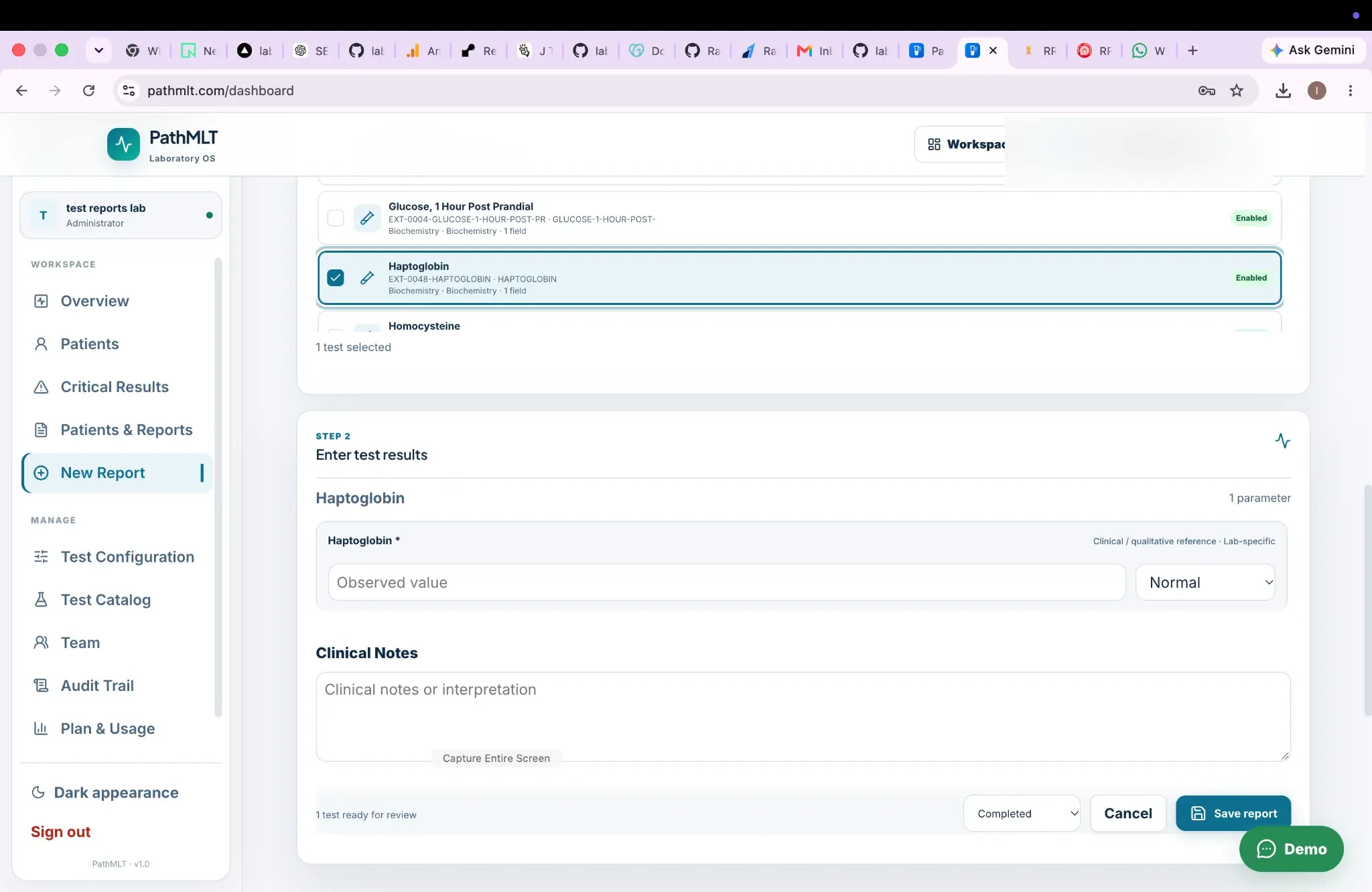
Designed for: Diagnostic laboratories managing recurring patient, testing and reporting workflows.
Diagnostic software should reduce handoffs between reception, testing and reporting instead of adding another isolated system. The stages below show where this capability creates a clear handoff in that process.
Register patient and order details.
Manage testing and sample context.
Check results before release.
Generate the final report.
Start with the recurring patient and order journey your staff already follow. Use the remaining capabilities below to assess the records, decisions, and handoffs that matter to this workflow.
For diagnostic laboratories managing recurring patient, testing and reporting workflows., these scenarios show how the workflow can support the daily records and handoffs that need to remain dependable.
Coordinate reception, testing and reporting around shared patient and order records.
Standardize recurring diagnostic tests and result entry.
Keep verification and final report delivery as explicit workflow stages.
A laboratory workspace can connect patient records, orders, tests, samples, results, verification and final reports in one operational flow.
The public PathMLT workflow is designed around diagnostic laboratory operations and reporting.
For diagnostic laboratories managing recurring patient, testing and reporting workflows., the product evidence below shows how PathMLT connects this capability to configurable laboratory records and workflows. Exact fields, permissions, and report configuration can vary by laboratory setup.
For diagnostic laboratory software, tests can include categories, departments, specimen information, methods, turnaround time and reusable parameters. Parameters support numeric, text, select, multiline, boolean, date and qualitative inputs.
Explore test managementIn a diagnostic laboratory software workflow, the report process loads a laboratory test configuration and its parameters so results can be entered against defined fields instead of rebuilding report content manually.
Explore result entryFor teams evaluating diagnostic laboratory software, PathMLT separates result entry from review and finalization, giving them a deliberate checkpoint for required values, flags and completed result sets before release.
Explore result verificationOnce diagnostic laboratory software is complete, PathMLT can turn the structured result data into a patient-facing laboratory report, including PDF output for delivery or printing.
Explore PDF reportsDiagnostic software should reduce handoffs between reception, testing and reporting instead of adding another isolated system.
Start with the recurring patient and order journey your staff already follow.
Make test configuration reusable so routine diagnostic work does not require repeated setup.
Keep verification and reporting visible as separate operational stages.
Use diagnostic laboratory software as an entry point, then follow the linked operational steps to evaluate the complete workflow rather than an isolated screen.
Start with the diagnostic laboratory software process your team performs most often. Then discuss the configuration, report format, access responsibilities, and implementation support that matter to you.