What a useful laboratory automation workflow should achieve
Automate repeatable checks and document preparation while keeping review and accountability visible. The goal is to give the next person the context, status, and configured information needed to continue the work.
In-depth guide
Laboratory automation that keeps review visible
Laboratory automation software is most useful when it removes repeatable administrative effort without hiding professional judgment. Automate configuration, validation, routing, and document preparation while keeping exceptions and release decisions visible.
Automate repetition first
Good candidates include reusable test setup, default parameters, required-field checks, numeric flags, status transitions, report templates, and consistent file generation. These tasks consume time because they are repeated, not because they require unique judgment.
Keep exceptions in the workflow
Automation should make unusual values, incomplete orders, failed checks, and corrections easier to find. A system that silently proceeds through an exception creates more risk than a manual process that makes the exception obvious.
Separate automated checks from approval
A rule can identify an out-of-range value; it does not necessarily replace review. Evaluate whether the system records the automated check, routes the item to the right person, and requires an explicit release decision when appropriate.
Measure the operational gain
Before implementation, record how long setup, checking, report preparation, and correction currently take. Use those baselines to judge automation by fewer handoffs and faster reliable completion, not by the number of automated features.
Product evidence
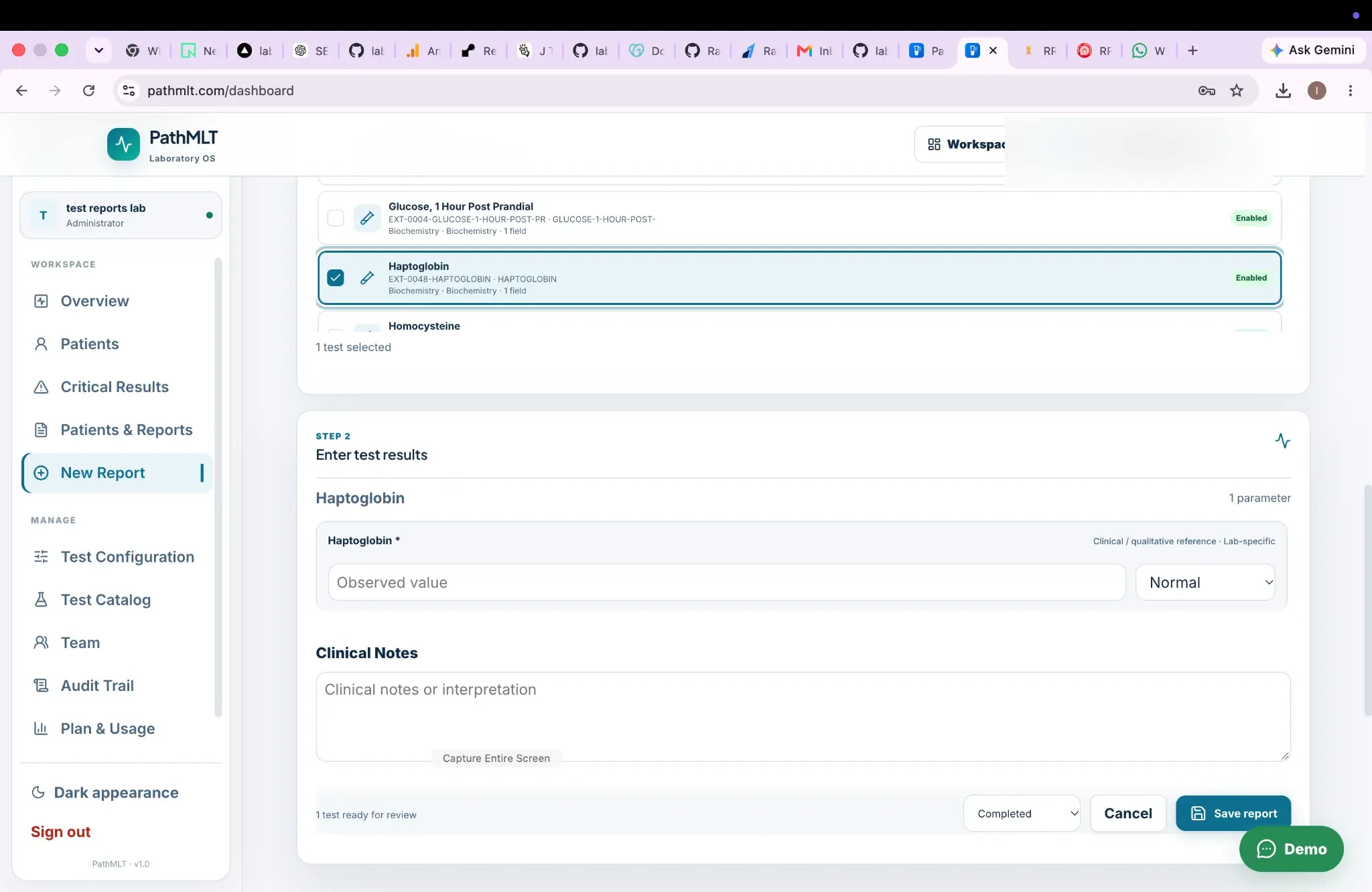
Repeatable entry with configured fields
The screen demonstrates a repeatable test-selection and result-entry step rather than free-form document preparation.
Product screenshot supplied by PathMLT; names, contact details, dates, identifiers, and barcode data have been anonymized for public use.
Why this workflow matters
Automate repeatable checks and document preparation while keeping review and accountability visible.
Designed for: Laboratories looking to reduce repetitive administrative reporting work.
Laboratory automation
How laboratory automation fits into a laboratory workflow.
Useful laboratory automation removes repetitive work while keeping important human checks visible and accountable. The stages below show where this capability creates a clear handoff in that process.
01
Configure
Set repeatable test rules.
02
Process
Enter results against the configuration.
03
Check
Surface values that need review.
04
Report
Finalize the report efficiently.
What to look for
Capabilities to evaluate for laboratory automation.
Automate repeatable validation and configuration rather than obscuring the workflow. Use the remaining capabilities below to assess the records, decisions, and handoffs that matter to this workflow.
Reusable test configurationAutomated numeric flagsControlled report finalizationSearchable workflow history
Operational scenarios
Practical laboratory automation use cases.
For laboratories looking to reduce repetitive administrative reporting work., these scenarios show how the workflow can support the daily records and handoffs that need to remain dependable.
01
Reduce repetitive result-checking work with configured rules.
02
Standardize recurring test and report configurations.
03
Make the path from completed results to final reports more repeatable.
Questions before implementation
Questions about laboratory automation.
What can laboratory reporting automation improve?
Automation can reduce repetitive checks and document preparation while keeping human review and finalization visible.
Does automation remove result verification?
The PathMLT workflow keeps verification as an explicit review stage rather than treating automation as a replacement for accountable review.
Inside PathMLT
See the product workflow behind this capability.
For laboratories looking to reduce repetitive administrative reporting work., the product evidence below shows how PathMLT connects this capability to configurable laboratory records and workflows. Exact fields, permissions, and report configuration can vary by laboratory setup.
01
Configurable test catalog
For laboratory automation, tests can include categories, departments, specimen information, methods, turnaround time and reusable parameters. Parameters support numeric, text, select, multiline, boolean, date and qualitative inputs.
In a laboratory automation workflow, the report process loads a laboratory test configuration and its parameters so results can be entered against defined fields instead of rebuilding report content manually.
For teams evaluating laboratory automation, PathMLT separates result entry from review and finalization, giving them a deliberate checkpoint for required values, flags and completed result sets before release.
Once laboratory automation is complete, PathMLT can turn the structured result data into a patient-facing laboratory report, including PDF output for delivery or printing.
Evaluate the workflow, not just the feature list.Use these product examples with your own panels, report standards, and team responsibilities during implementation planning.
Implementation perspective
Automate repetition without hiding review.
Useful laboratory automation removes repetitive work while keeping important human checks visible and accountable.
01
Automate repeatable validation and configuration rather than obscuring the workflow.
02
Use consistent test definitions to reduce repeated administrative setup.
03
Keep final review and release as deliberate actions when results require professional oversight.
Continue through the workflow
Connect this capability to the rest of laboratory reporting.
Use laboratory automation as an entry point, then follow the linked operational steps to evaluate the complete workflow rather than an isolated screen.
See how laboratory automation could fit your laboratory.
Start with the laboratory automation process your team performs most often. Then discuss the configuration, report format, access responsibilities, and implementation support that matter to you.