What a useful laboratory management software workflow should achieve
Replace fragmented operational tools with a clear workspace for the people and workflows that run your laboratory. The goal is to give the next person the context, status, and configured information needed to continue the work.
In-depth guide
Laboratory management software beyond a feature list
Laboratory management software should help a team run its operation, not merely store isolated records. Look for a connected workspace that joins people, patients, tests, orders, results, reports, permissions, and operational history.
Manage the operating model
A management workspace should reflect how the laboratory actually works: who registers patients, who configures tests, who enters results, who verifies them, and who manages users or settings. The value comes from clear ownership across those responsibilities.
Connect records instead of creating silos
Patient, order, test, sample, result, and report records should be searchable and related. When staff must move between disconnected tools, they spend time checking whether information is current and complete.
Give administrators useful control
Management functions include role-aware access, settings, test configuration, report templates, workflow history, and visibility into operational status. Controls should be understandable to administrators without making daily technical work harder.
Plan for adoption
Evaluate the first workflow you will implement, the data you must migrate, the roles that need training, and the reports that must remain consistent. A practical rollout usually starts with a high-volume workflow before expanding to every process.
Product evidence
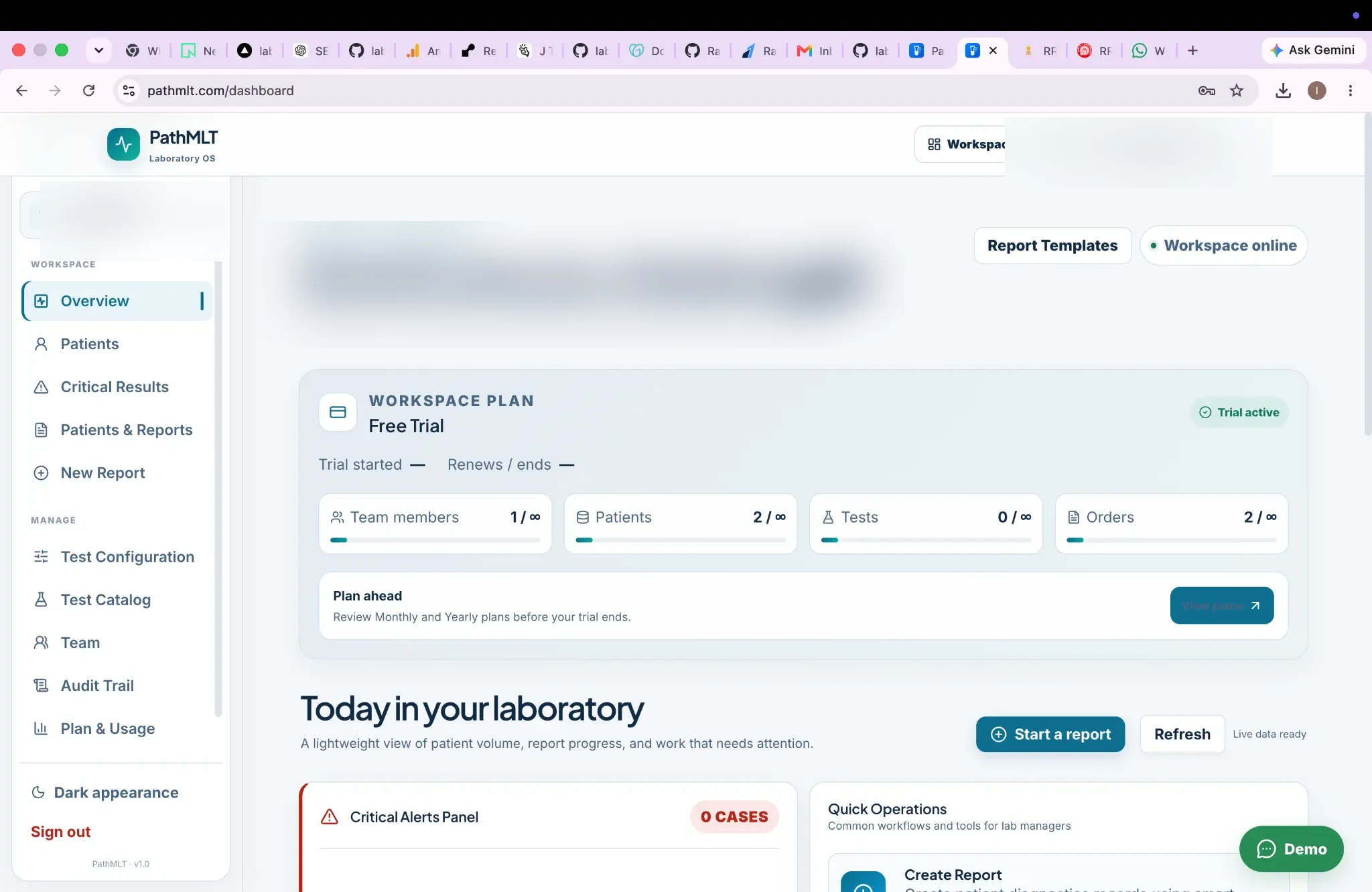
A workspace view for laboratory operations
An anonymized product example showing workspace status, team and patient counts, orders, critical alerts, report templates, and quick operations.
Product screenshot supplied by PathMLT; names, contact details, dates, identifiers, and barcode data have been anonymized for public use.
Why this workflow matters
Replace fragmented operational tools with a clear workspace for the people and workflows that run your laboratory.
Designed for: Growing laboratories that need consistent processes and controlled team access.
Laboratory management software
How laboratory management software fits into a laboratory workflow.
A laboratory management platform should connect operational records with the controls administrators need to run the team. The stages below show where this capability creates a clear handoff in that process.
01
Organize
Configure your lab and team.
02
Operate
Manage patients, orders and testing.
03
Control
Review permissions and workflow states.
04
Report
Deliver consistent final reports.
What to look for
Capabilities to evaluate for laboratory management software.
Give users access that matches their responsibilities rather than exposing every workflow to everyone. Use the remaining capabilities below to assess the records, decisions, and handoffs that matter to this workflow.
Central operational workspaceRole-aware team accessSearchable workflow recordsConnected reporting operations
Operational scenarios
Practical laboratory management software use cases.
For growing laboratories that need consistent processes and controlled team access., these scenarios show how the workflow can support the daily records and handoffs that need to remain dependable.
01
Bring patient, testing and reporting operations into one workspace.
02
Give different team members controlled access to relevant tasks.
03
Maintain workflow history alongside day-to-day laboratory operations.
Questions before implementation
Questions about laboratory management software.
What is laboratory management software?
It is software that coordinates core laboratory operations such as patients, tests, samples, results, users and reporting from a shared system.
Who benefits from a laboratory management workspace?
Growing diagnostic laboratories can use a connected workspace to standardize recurring operational processes and team responsibilities.
Inside PathMLT
See the product workflow behind this capability.
For growing laboratories that need consistent processes and controlled team access., the product evidence below shows how PathMLT connects this capability to configurable laboratory records and workflows. Exact fields, permissions, and report configuration can vary by laboratory setup.
01
Configurable test catalog
For laboratory management software, tests can include categories, departments, specimen information, methods, turnaround time and reusable parameters. Parameters support numeric, text, select, multiline, boolean, date and qualitative inputs.
In a laboratory management software workflow, the report process loads a laboratory test configuration and its parameters so results can be entered against defined fields instead of rebuilding report content manually.
For teams evaluating laboratory management software, PathMLT separates result entry from review and finalization, giving them a deliberate checkpoint for required values, flags and completed result sets before release.
Once laboratory management software is complete, PathMLT can turn the structured result data into a patient-facing laboratory report, including PDF output for delivery or printing.
Evaluate the workflow, not just the feature list.Use these product examples with your own panels, report standards, and team responsibilities during implementation planning.
Implementation perspective
Bring management controls into the operating workflow.
A laboratory management platform should connect operational records with the controls administrators need to run the team.
01
Give users access that matches their responsibilities rather than exposing every workflow to everyone.
02
Make patient, test, sample and report records searchable within one workspace.
03
Retain useful workflow history so operational questions can be investigated later.
Continue through the workflow
Connect this capability to the rest of laboratory reporting.
Use laboratory management software as an entry point, then follow the linked operational steps to evaluate the complete workflow rather than an isolated screen.
See how laboratory management software could fit your laboratory.
Start with the laboratory management software process your team performs most often. Then discuss the configuration, report format, access responsibilities, and implementation support that matter to you.