What a useful patient management workflow should achieve
Give your team one dependable patient record to follow through the laboratory workflow. The goal is to give the next person the context, status, and configured information needed to continue the work.
In-depth guide
Patient management software for laboratory intake
Patient management is the anchor for a laboratory workflow. A useful system makes identity, contact information, orders, tests, and completed reports easy to find while reducing duplicate registration and context loss at the front desk.
Create one dependable patient record
Search and registration should help staff find an existing patient before creating another record. Fields should support the information the laboratory actually needs while making duplicate or incomplete records easier to detect.
Connect patients to orders
Patient management becomes operationally valuable when a new order, selected tests, collection context, and status remain attached to the patient. Staff should not have to search separate systems to understand what is pending.
Support recurring visits
Diagnostic laboratories often serve returning patients. Evaluate search, prior order visibility, contact updates, and the ability to begin a new order without losing historical reports or creating unnecessary duplicate information.
Protect sensitive information
Patient data needs role-aware access, authenticated sessions, clear permissions, and careful report delivery. The workflow should make it obvious who can view, edit, finalize, or download patient-facing information.
Product evidence
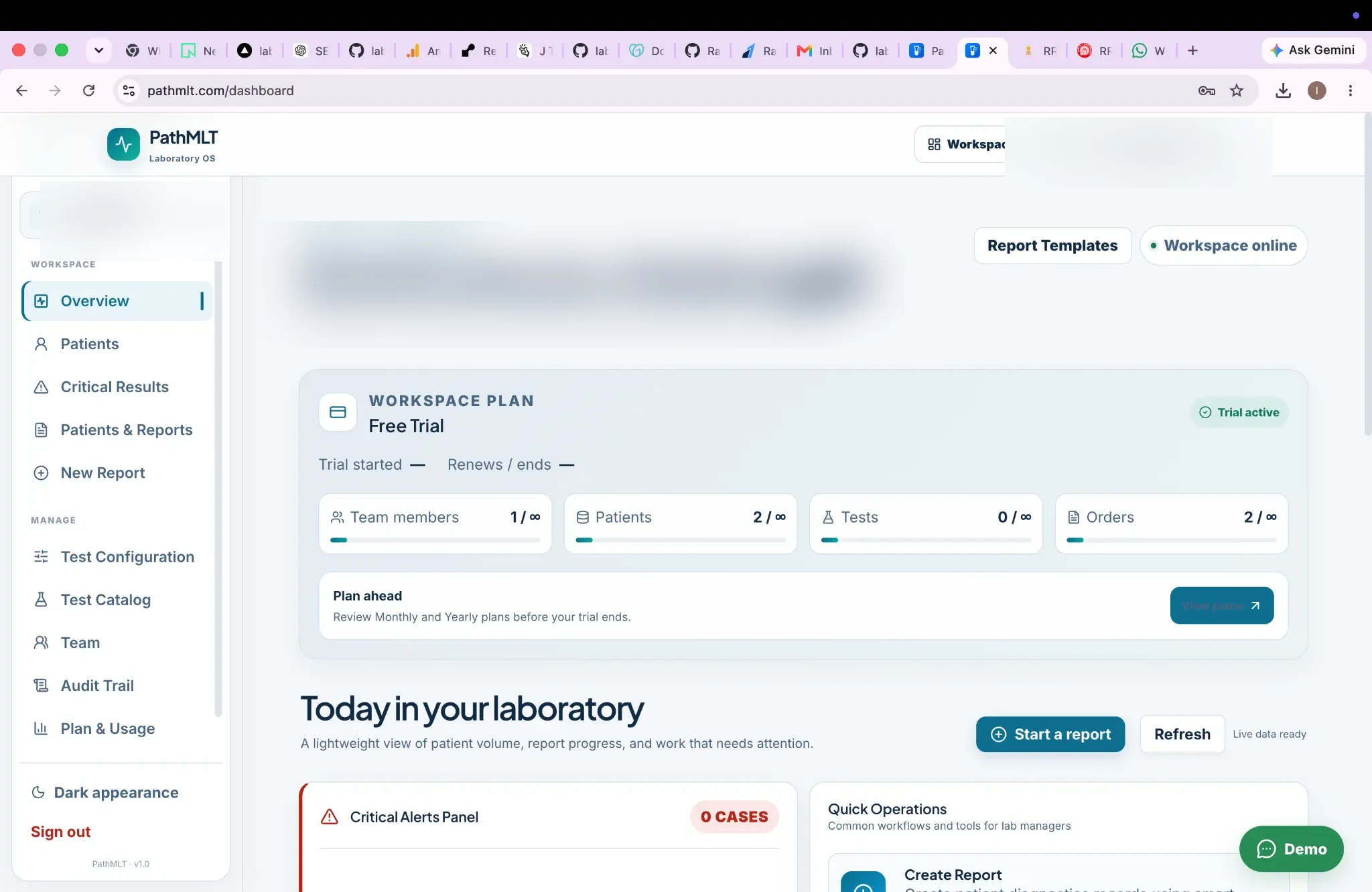
Patient and order activity at a glance
The workspace overview gives laboratory teams a compact view of patient volume, order activity, report operations, and work requiring attention.
Product screenshot supplied by PathMLT; names, contact details, dates, identifiers, and barcode data have been anonymized for public use.
Why this workflow matters
Give your team one dependable patient record to follow through the laboratory workflow.
Designed for: Reception and laboratory teams handling recurring patient registrations and orders.
Patient management
How patient management fits into a laboratory workflow.
Patient management is more useful when it is connected directly to laboratory orders, tests and completed reports. The stages below show where this capability creates a clear handoff in that process.
01
Register
Capture patient information.
02
Order
Connect laboratory services.
03
Process
Follow the patient through testing.
04
Report
Keep completed reports connected.
What to look for
Capabilities to evaluate for patient management.
Avoid creating duplicate patient records for recurring laboratory visits. Use the remaining capabilities below to assess the records, decisions, and handoffs that matter to this workflow.
Central patient recordsSearchable patient informationConnected orders and reportsRole-aware access
Operational scenarios
Practical patient management use cases.
For reception and laboratory teams handling recurring patient registrations and orders., these scenarios show how the workflow can support the daily records and handoffs that need to remain dependable.
01
Create a patient once and reuse that context across orders.
02
Find patient information without recreating records.
03
Keep completed laboratory reports associated with the patient workflow.
Questions before implementation
Questions about patient management.
Why does patient management matter in a laboratory system?
A consistent patient record provides the context that connects orders, testing and reports throughout the laboratory workflow.
Can patient information connect to laboratory orders?
PathMLT is designed around connected patient and order records rather than isolated data entry screens.
Inside PathMLT
See the product workflow behind this capability.
For reception and laboratory teams handling recurring patient registrations and orders., the product evidence below shows how PathMLT connects this capability to configurable laboratory records and workflows. Exact fields, permissions, and report configuration can vary by laboratory setup.
01
Configurable test catalog
For patient management, tests can include categories, departments, specimen information, methods, turnaround time and reusable parameters. Parameters support numeric, text, select, multiline, boolean, date and qualitative inputs.
In a patient management workflow, the report process loads a laboratory test configuration and its parameters so results can be entered against defined fields instead of rebuilding report content manually.
For teams evaluating patient management, PathMLT separates result entry from review and finalization, giving them a deliberate checkpoint for required values, flags and completed result sets before release.
Once patient management is complete, PathMLT can turn the structured result data into a patient-facing laboratory report, including PDF output for delivery or printing.
Evaluate the workflow, not just the feature list.Use these product examples with your own panels, report standards, and team responsibilities during implementation planning.
Implementation perspective
Make the patient record the workflow anchor.
Patient management is more useful when it is connected directly to laboratory orders, tests and completed reports.
01
Avoid creating duplicate patient records for recurring laboratory visits.
02
Keep orders and reports associated with the correct patient context.
03
Make patient search practical for the staff members who handle intake and reporting.
Continue through the workflow
Connect this capability to the rest of laboratory reporting.
Use patient management as an entry point, then follow the linked operational steps to evaluate the complete workflow rather than an isolated screen.
See how patient management could fit your laboratory.
Start with the patient management process your team performs most often. Then discuss the configuration, report format, access responsibilities, and implementation support that matter to you.